What is MCP — Model Context Protocol?
Essentially, MCP compiles human language into pre-configured functions inside an MCP Server to talk to other tools. This approach is helping AI do more work and become more useful to us, which I think is exactly why MCP is so hot right now.
The MCP architecture model
At this early stage of the protocol, the system is made up of 3 parts:
MCP Hosts => MCP Servers => External Services
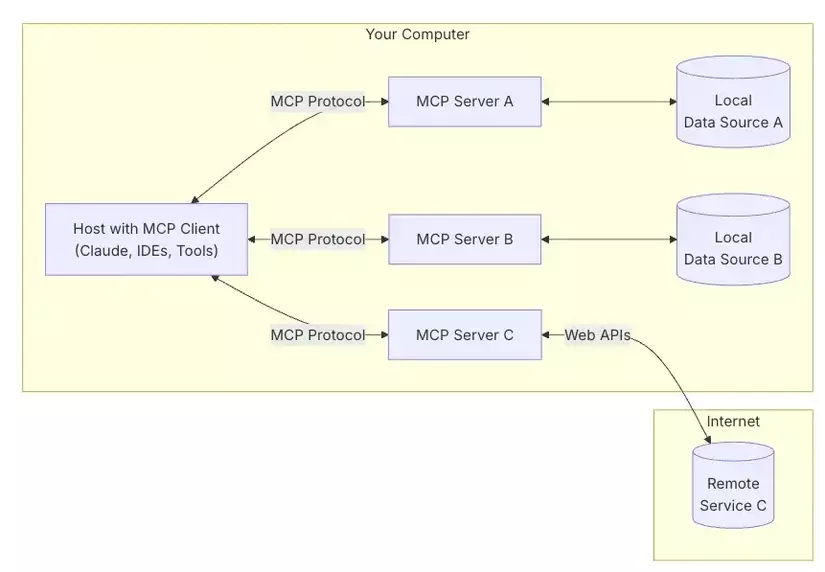
Image source: whatismcp.com
- Host with an MCP Client (MCP Hosts) can be a tool like Claude Desktop, Cursor, etc. MCP Hosts talk to MCP Servers through the MCP Protocol to send user requests to the right function. Example: a user asks "What's the current humidity in Hanoi?" and the MCP Host forwards the request to the MCP Server responsible for fetching weather data.
- MCP Server is a pre-configured service that interacts with a specific data source — an MCP Server can be configured to connect to any service (web APIs, databases, Excel files...). Usually, an MCP Server is only responsible for a single group of functions.
- External Services are the services/tools an MCP Server connects to. There are already thousands of MCP Servers out there that connect to various tools for all kinds of purposes. You can search with the keyword: Tool name + MCP. Example: Notion MCP. There's a good chance someone has already built an MCP server for that tool.
What are Database MCP Servers good for? Real-world use cases
Now that we roughly understand how MCP Servers work, what can database MCP Servers actually be used for in practice?
- Analyzing data without a BI tool: Non-technical staff, managers, and analysts can ask questions like "What was April's revenue?" or "Top 5 best-selling products today?" and get insights straight from the database data, without needing a data team to collect and crunch the numbers.
- Quickly generating test data: It's common for QA, backend devs, and product engineers to need test data quickly for testing. AI can easily help us do this via MCP.
- Quick database checks without direct access: DevOps, SRE, or DBA Engineers often need to check for mistakes or errors in the data. A database MCP server supports quickly retrieving data through natural language. Example: "Find all rows with a 'duplicate entry' error in the logs table."
- Creating dashboards or periodic reports: As a Data Analyst or Business Owner, building reports or dashboards is a weekly or monthly recurring task. With an MCP Server, you can fully automate this with a prompt like "Create a summary table of order counts per day this week and export it as a CSV file."
- ...
In this post I'll walk through using Claude Desktop (MCP Host) together with the MySQL MCP Server (MCP Server) to query and modify data in a MySQL database (External Service). From there you'll be able to apply the same approach to connect any other MCP Server to your own work.
Integrating MySQL MCP with Claude Desktop
Installing Claude Desktop
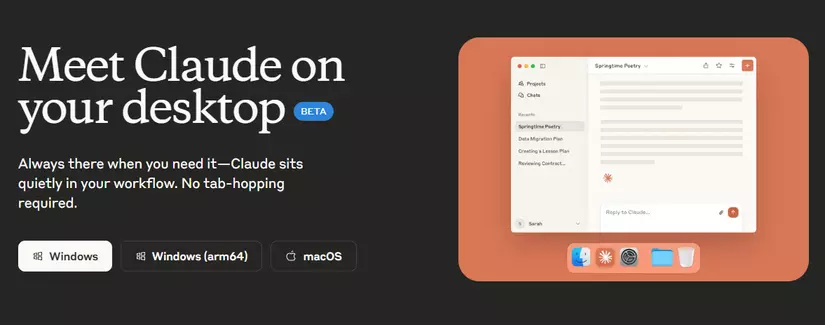
Claude Desktop is free and you can download it directly from the homepage if you're on Windows or macOS: claude.ai/download
If you're on Linux — Ubuntu like me, you can grab it here: github.com/aaddrick/claude-desktop-debian (Unofficial)
Installing & configuring MySQL Server
I'm using Ubuntu, so I'll walk through installing MySQL Server on Ubuntu — if you're on a different OS, search for the appropriate install steps online.
Install MySQL Server
sudo apt update
sudo apt install mysql-server -y
systemctl status mysql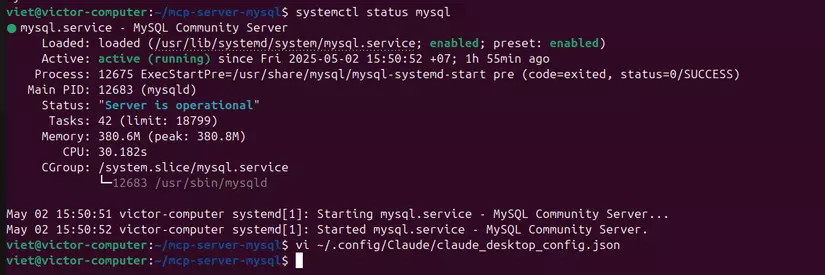
Set a password for the root user
sudo mysql # Access the database as the root userALTER USER 'root'@'localhost' IDENTIFIED WITH mysql_native_password BY '123456';
FLUSH PRIVILEGES;Create a my_database database to play with:
CREATE DATABASE my_database;Try exiting the database with the exit command, then test logging back in with the root user and password 123456. If you can log in and list the database you just created, your MySQL setup is complete.
mysql -uroot -p123456

SHOW DATABASES;
Configuring the MCP Server for Claude Desktop
There are now many MCP Servers written by the community, which carries certain risks when using them. You should only use MCP Servers you trust, or ones whose source code you can read to understand what they do.
In this post I'll use the MySQL MCP Server with the most "stars" for the demo: github.com/benborla/mcp-server-mysql
Your machine needs Node.js v18 or later (full requirements for this MCP Server). If you don't have it yet, install it here: nodejs.org/en/download
We can run the MCP Server manually, or configure Claude Desktop to launch MCP Servers automatically. I'll go with the simpler option and let Claude Desktop launch the MCP Server automatically. On Linux, the MCP Servers config file lives at ~/.config/Claude/claude_desktop_config.json. If this file doesn't exist yet, create it with this content:
{
  "mcpServers": {
    "mcp_server_mysql": {
      "command": "npx",
      "args": [
        "-y",
        "@benborla29/mcp-server-mysql"
      ],
      "env": {
        "MYSQL_HOST": "127.0.0.1",
        "MYSQL_PORT": "3306",
        "MYSQL_USER": "root",
        "MYSQL_PASS": "112233",
        "MYSQL_DB": "my_database",
        "ALLOW_INSERT_OPERATION": "true",
        "ALLOW_UPDATE_OPERATION": "true",
        "ALLOW_DELETE_OPERATION": "true",
        "SCHEMA_DDL_PERMISSIONS": "my_database:true",
           "PATH": "/usr/bin",
           "NODE_PATH": "/lib/node_modules"
      }
    }
  }
}MYSQL_HOST,MYSQL_PORT,MYSQL_USER,MYSQL_PASS,MYSQL_DBare the connection details for the MySQL database we created above.ALLOW_INSERT_OPERATION,ALLOW_UPDATE_OPERATION,ALLOW_DELETE_OPERATIONlet the user issue INSERT, UPDATE, DELETE commands. By default, a user can onlySELECT.SCHEMA_DDL_PERMISSIONS: "my_database:true"allows schema changes on themy_databasedatabase. By default, schema changes or DDL queries aren't allowed.
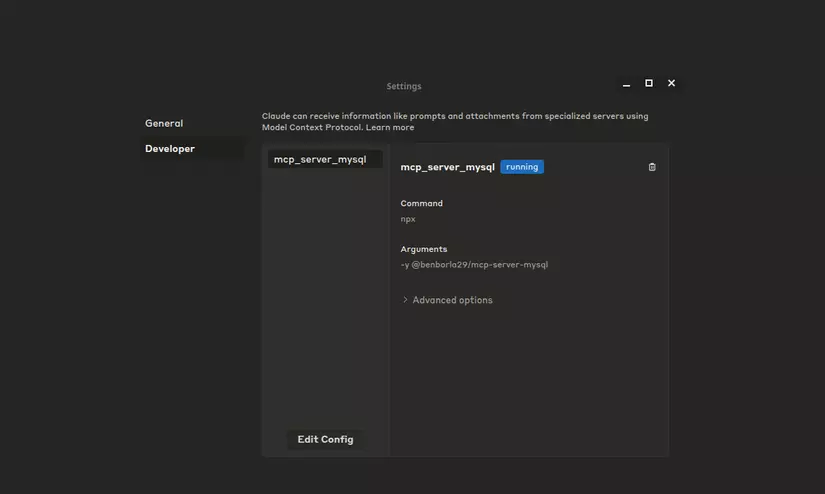
Once configured, you can launch Claude Desktop to check the connection. Go to Files => Settings => Developer => mcp_server_sql. A running status like in the image below means the connection is configured successfully.
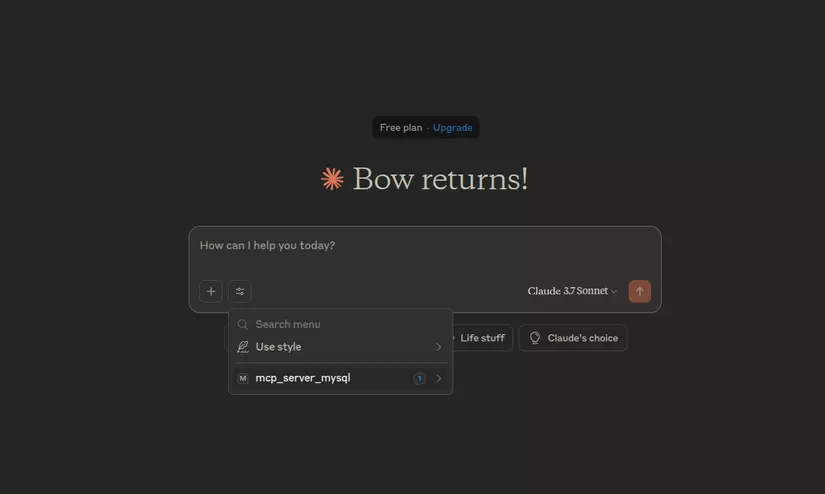
In the chat panel, we can also see the mcp_server_mysql MCP server enabled by default.
Let's try a few commands to see what this AI + MCP Server combo can actually do.
Feature demo
Searching for data
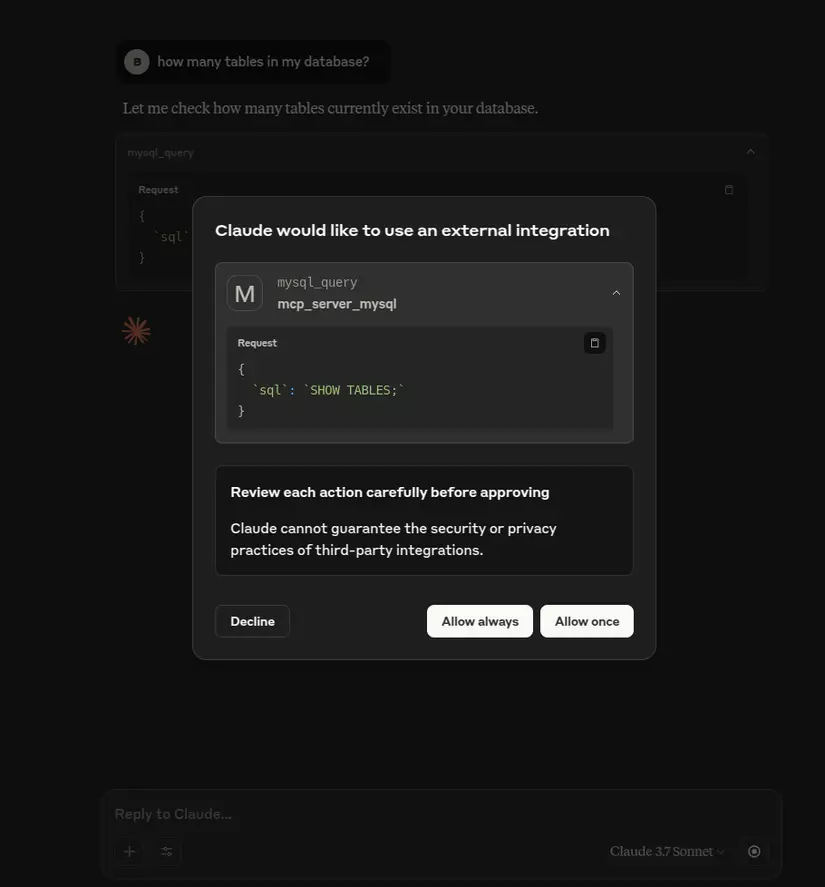
First I'll ask what tables exist in the current database. The first time you run a query, a pop-up will let you choose to approve the query before running it (Allow Once), or set it to always allow the model to run queries without asking again (Allow always).
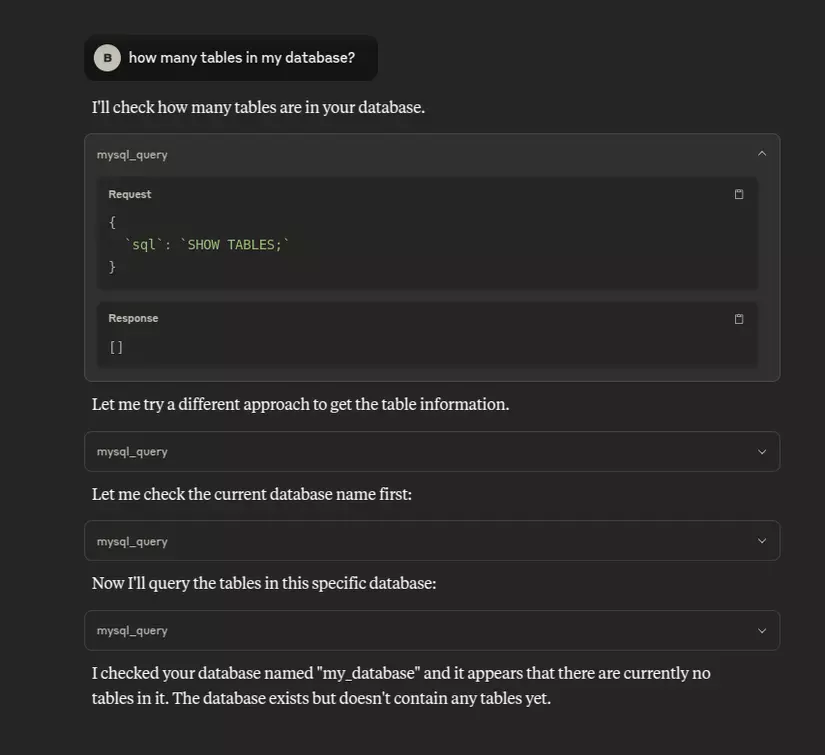
The result comes back with no tables in the current database. The model I'm using, Claude 3.7 Sonnet, is smart enough that when a query returns nothing, it gets suspicious and automatically double-checks the input info once more.
Changing the database schema
Let's try creating a table to store user info.
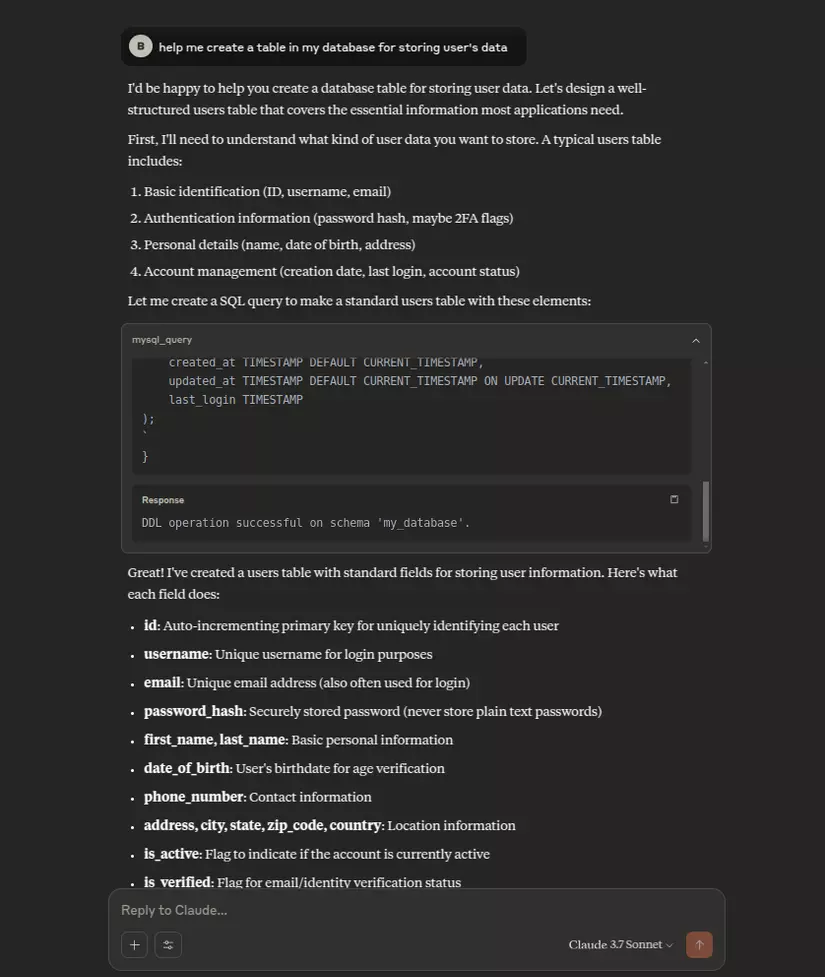
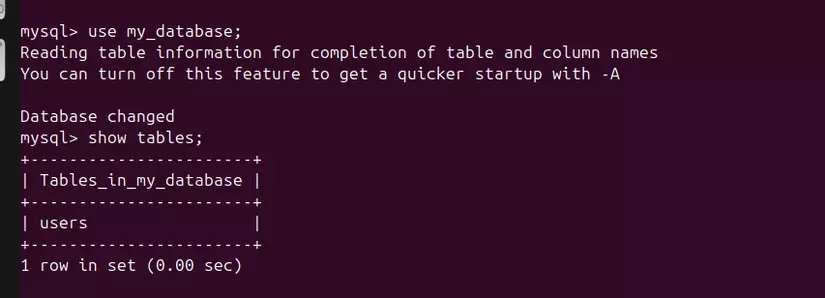
You can see in the Response message that the DDL operation succeeded in the my_database database. Let's double-check in the database with:
USE my_database;
SHOW TABLES;
The users table was created successfully.
Generating data
Next, let's try generating 200 random users.
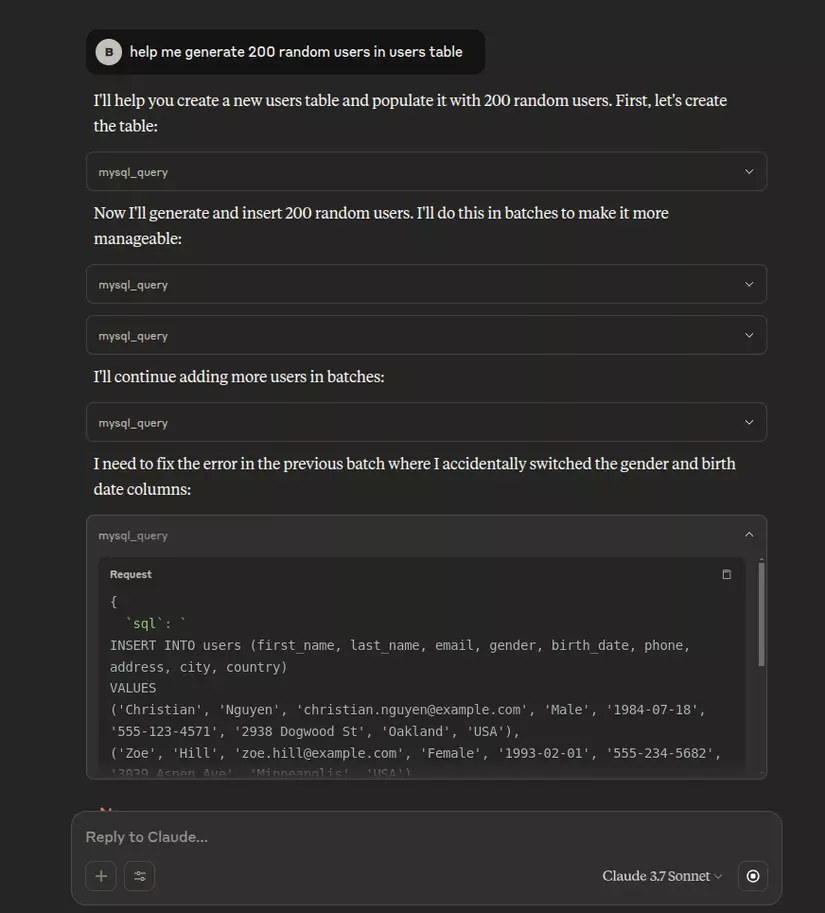
Let's check the database again to see if the users were imported.
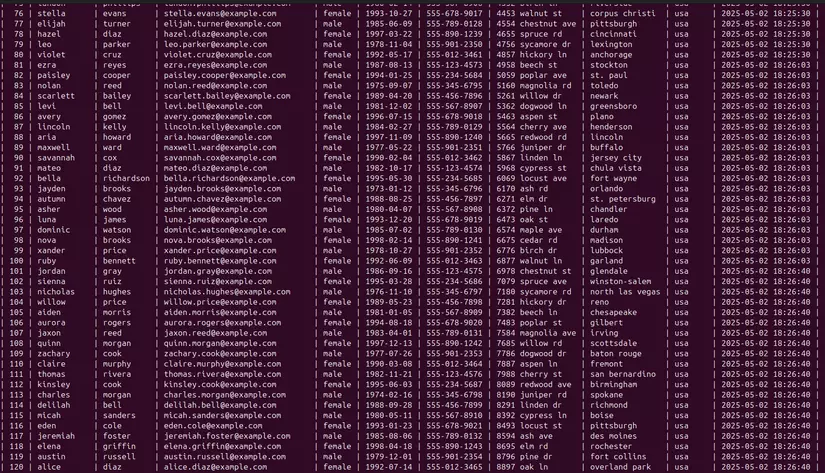
The AI model pulled the table's current schema and imported data matching that exact structure. Fantastic!
Things to keep in mind when using Database MCP Servers
As useful as this is, we also need to be very careful when using an AI model to interact directly with a database.
- Only use MCP Servers that are reputable and vetted, or write your own MCP Server.
- Only grant data-modification permissions for test (non-production) databases.
- Secure the connection between your local machine and the database. Consider using a proxy or a shared MCP Host.
- ...
Wrapping up
Thanks for reading all the way through — I hope this post brought you some value.
If you found it useful, please Upvote and Follow me for more posts to come 😄
If you're running into technical challenges, need help with systems, DevOps tools, or career direction, I'm confident I can help. Get in touch at hoangviet.io.vn