What is KubeVPN?
Picture it like a regular VPN that gets you access to a private network range — KubeVPN does the same thing, giving you access to Kubernetes' private network range through a tunnel. On top of that, KubeVPN also provides a few other features like:
- Lets you capture traffic going into resources on Kubernetes
- Lets you run a Kubernetes Workload (Pods, Deployment, etc.) inside Docker on your local machine
- Copy a file from inside a container to your local machine (kubectl can do this too, but kubevpn supports copying through a bastion host)
Installing KubeVPN
KubeVPN's GitHub repo link: github.com/KubeNetworks/kubevpn
KubeVPN currently supports pretty much all platforms: MacOS, Linux, Windows.
Since I use Ubuntu, in this post I'll walk through installing it for Ubuntu. To install, go to KubeVPN's releases section on GitHub and download the version you need. For Linux/Ubuntu you can do the following:
# Download the archive
curl -L -O https://github.com/KubeNetworks/kubevpn/releases/download/v1.1.35/kubevpn_v1.1.35_linux_amd64.zip
# Extract it with unzip
unzip kubevpn_v1.1.35_linux_amd64.zip
Once extracted, you can use the following command to check whether the extraction succeeded
./bin/kubevpnGetting output like this means success.
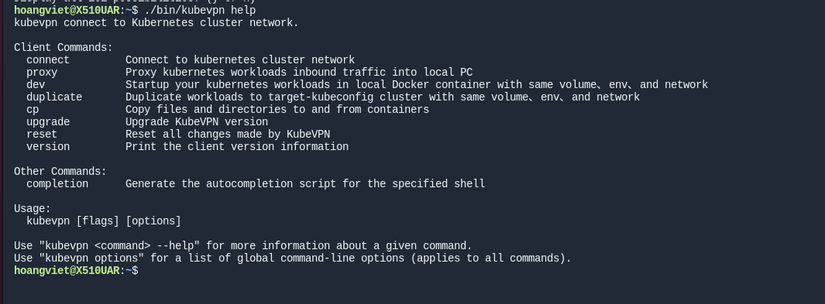
Using KubeVPN to access Kubernetes' private network
Naturally, to connect to a K8s cluster you need a Kubeconfig — by default KubeVPN will grab the kubeconfig from the default path ~/.kube/config. In my test environment I'll try connecting to a K8s cluster running via minikube.
To create a connection to the K8s cluster we use the command:
./bin/kubevpn connectOnce you connect, you'll see a deployment named kubevpn-traffic-manager get created in the K8s cluster, used to open a tunnel between your local machine and the K8s cluster.
Output:
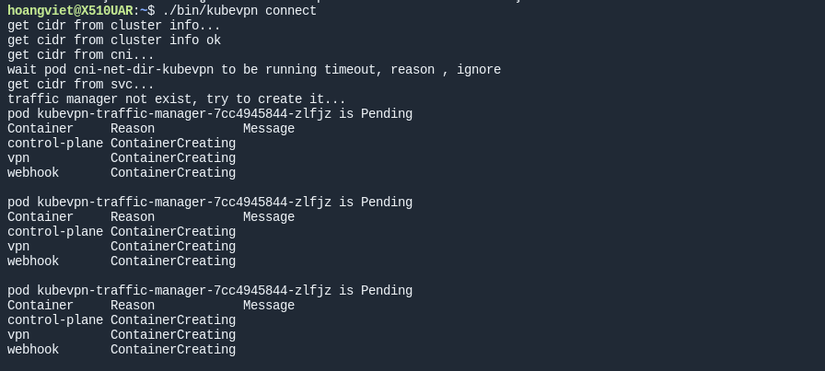
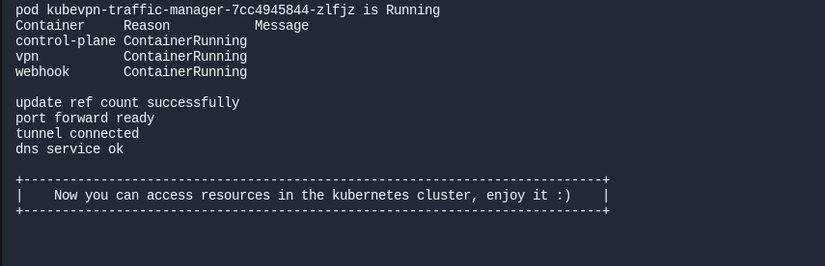
Once it says Enjoy it, you're good to go! 🤣🤣🤣
To test, I'll try deploying an nginx pod to see whether I can access it via K8s's local IP. Use the following command to create the pod:
#Run a pod named nginx using the nginx:latest image
kubectl run nginx --image=nginx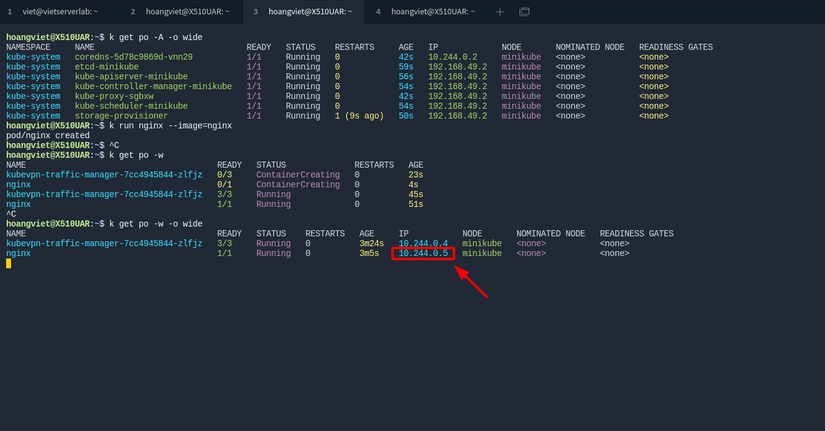
We can see the nginx pod has IP 10.244.0.5 — let's try accessing it in the browser and see the result:
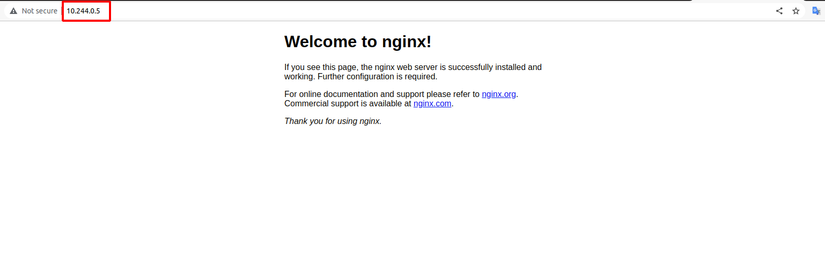
So now we can access Pods and Services in K8s directly by IP and port, making debugging or testing a whole lot easier.
Connecting to the K8s network through a bastion host
KubeVPN also supports connecting through one or more bastion hosts — the model looks like this:

For example, to connect to a k8s cluster only reachable from a bastion host, the command looks like this:
./bin/kubevpn connect --ssh-addr 172.16.5.29:22 --ssh-username viet --ssh-keyfile /home/hoangviet/.ssh/id_rsaWhere 172.16.5.29:22 is the bastion host's IP address and SSH Port
viet is the username
/home/hoangviet/.ssh/id_rsa is the path to the ssh private key
Wrapping up
Hope this post introduced another tool that makes your work with Kubernetes more convenient. If you found it useful and want to learn about more DevOps tools, please give me an Upvote and Follow! Thank you all. 😁
If you're running into technical challenges or need help with systems, DevOps tools, I'm confident I can help. Get in touch at hoangviet.io.vn