So in this post I'll dig up some painful memories from the past to give you the lessons I learned the hard way 😢. Okay let's go!

1. Use Kubernetes on a cloud platform
I totally get the urge, when you're starting out with Kubernetes, to love hand-building K8s clusters on VMs, especially after your first cluster succeeds — you'll want to build a bunch more. But trust me, once you hit the gnarly infrastructure-level bugs of Kubernetes, you'll reconsider.
Kubernetes is a complex, multi-component system — one component in that system having an outage can affect other services anywhere from a little to a lot. Most of the tricky Kubernetes problems I've run into usually come from infrastructure components like: DNS, kube-proxy (Networking), Storage, master nodes, etc. When you hit these issues, it can take weeks to resolve completely, and can also bring unwanted consequences along with it. 80% of the Kubernetes problems I used to run into could all be "prevented" by pushing that responsibility onto cloud providers like EKS or GKE — they have experts to handle that for us.
Building and managing a Kubernetes cluster from scratch yourself is also quite satisfying since you can customize everything, install tools that need deep access — but the trade-off is a bunch of tricky, tedious operational work that might not create much value, like: upgrading the cluster version, adding/removing worker nodes, etc.
2. Assess the application before deploying it to Kubernetes
This seems like an obvious thing to do when architecting any application, but because it's so important, and I've skipped it a few times myself in the past, I want to bring it up again to really drive it home 🙏. Assess your application on a few criteria:
- Assess the application's architecture: Is your app stateful or stateless? Does it need any special components that can't run on a container, etc.?
- Required resources: An application that already eats 3-4 GB of memory just from booting up probably isn't a great fit for a platform built for microservices, like K8s
- Performance and Stability: How much performance and stability does your application need? An application requiring high read/write IOPS, like a Database, is probably better suited to a physical server or a VM to deliver the highest IOPS.
- Operating cost: On the human side, running an application on Kubernetes will require at least one DevOps person watching over the system around the clock. On the infrastructure side, running an application to handle N requests/s might only need 1 VM with 4 CPU/8GB Memory, but might need 3 worker Nodes with 2 CPU/4 GB Memory to run on Kubernetes!
To understand this better, let's move to the next point.
3. Not every application is a fit for Kubernetes

Early on when getting familiar with Kubernetes, we commonly make the mistake of putting every single application onto this platform while forgetting: the Kubernetes environment is highly dynamic. The smallest workload in K8s is the Pod, and this component can very easily get deleted and replaced by another pod for really, really small reasons.
You probably wouldn't want to run your MySQL database with just one master node (Master-Slave model), where the Master node responsible for Write occasionally gets deleted and recreated. On top of that, going through a virtualization layer also affects disk-related factors somewhat.
That covers performance and stability — resource consumption is another factor we need to consider.
For example, with a Redis application storing 10 million keys, as soon as it boots up Redis will load all 10 million keys into the database, immediately eating up 11GB of memory! ...for 1 node. If you force it through, your cluster needs a node with at least 14GB of memory and up, since you still need to leave room for system services. On top of that, you'd not just need to maintain one big node, but multiple nodes to increase HA in case one node has an issue. Having multiple "big" nodes in a cluster isn't easy and costs money.
Bottom line:
- Applications requiring large resources => shouldn't run on Kubernetes
- Applications requiring high stability, heavy performance (Databases) => shouldn't run on Kubernetes
- Stateful applications => shouldn't run on Kubernetes
4. Always configure autoscaling (HPA)
If you don't apply HPA for your application when deploying on Kubernetes, you're missing out on one of K8s's core features: the ability to automatically scale out and in. When writing manifest files, we very often skip writing HPA, thinking it might not be necessary, or planning to write it later... and it never happens.
When configuring HPA's parameters, you need to know which metric your application should scale on. We usually scale on CPU, but sometimes an application needs to scale based on requests/s, the number of messages sent into a queue, etc. To find sensible values for min pod, max pod, or the trigger threshold, you need to experiment and run it in the real world.
To learn more about the KEDA tool that lets you scale on many metrics beyond Kubernetes' native ones, check out this post I wrote: What is HPA? Auto-scaling pods with HPA and KEDA
A big lesson: I used to make the mistake of thinking my application would never see a huge traffic spike, so when configuring the max pod count I'd usually just set it to about 2x normal, at most. But one fine day, traffic suddenly surged 10x out of nowhere, and the pod count only doubling wasn't enough to handle the huge request volume, causing the pods to crash repeatedly. The lesson here is that if you're using cloud platforms with an "unlimited" amount of resource, you should consider configuring the worker node count and max pod at a fairly generous threshold to handle sudden request spikes. This helps your system take care of itself under heavy traffic, or buys you extra time before you have to step in manually.
5. Use just enough tools
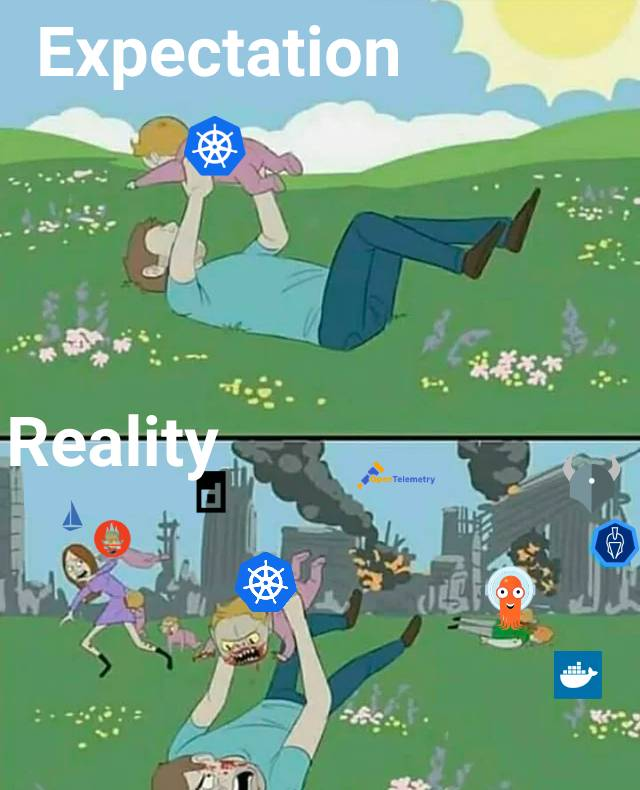
Kubernetes has exploded into a phenomenon over the past few years, and along with it, a whole wave of tools has been born to automate and optimize working with Kubernetes. But too much of anything isn't good. Too many tools waste resources and cost time for the whole team to get proficient with them, etc. There's too much downside to list — we should only focus on the most optimal tools, ones the community trusts, and only use at most 1 tool for each area you need. Here are a few tools I currently use:
- Ingress: Nginx, Istio (advanced)
- Network: Cilium, KubeShark (debug only)
- Monitor: Grafana, Prometheus
- CLI: OpenLens, kubectl + kubecolor
6. Think carefully before using an Operator
An Operator is a component installed to extend Kubernetes' functionality. Commonly, Operators help spin up complex application clusters like MariaDB, Redis Cluster, Kafka components, etc.
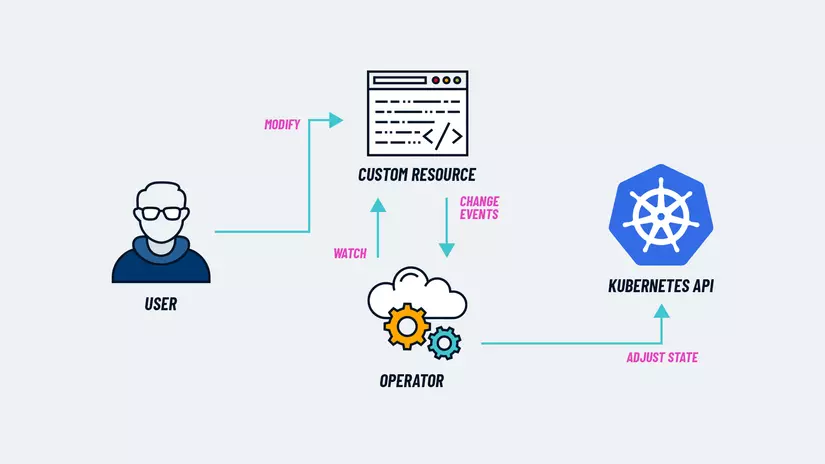
Read more about Operators here
Operators are extensions contributed and developed by the community or an organization, and they usually have a "fairly complex" structure. Risks of using an operator can include:
- An operator that isn't updated regularly might contain a lot of bugs
- An operator can have slow response times in some cases
- Upgrading an application created by an operator can be fairly difficult (you might have to upgrade the operator before you can upgrade the application)
- ...
7. Don't forget to configure resource requests and limits
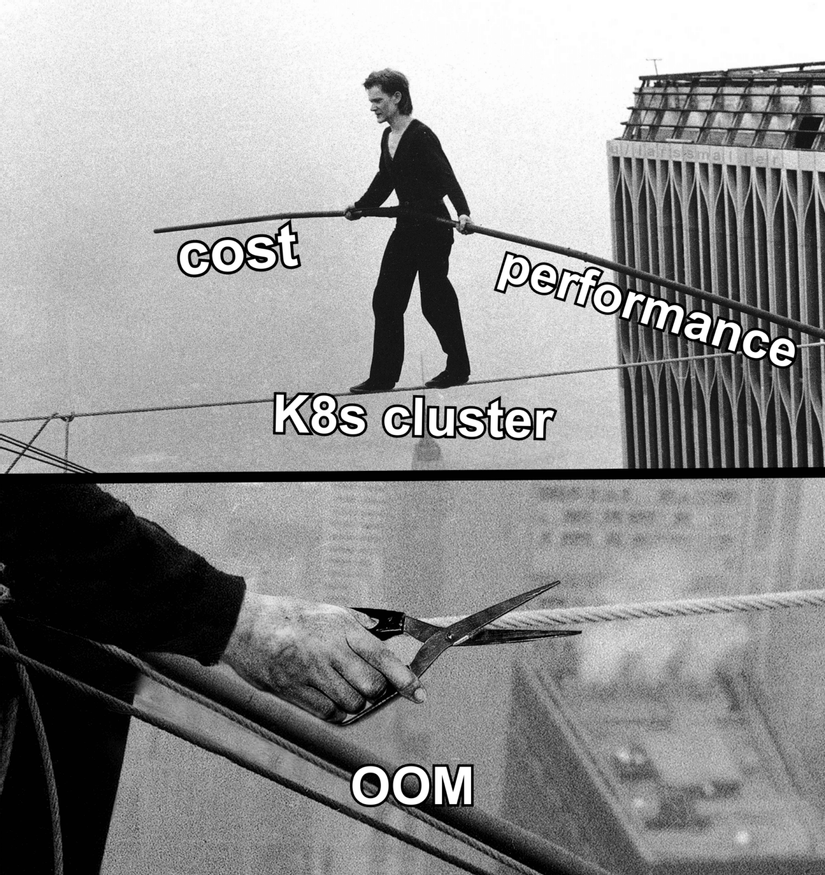
You can probably already vaguely picture the consequences of not configuring CPU and memory requests and limits for an application. Basically, without a resource request configured, the application can land on any node, and that node might run out of resources trying to satisfy it. Without a resource limit configured, an application can greedily hog all of a node's resources, causing overload.
Mild consequences:
- The application will have poor performance, frequent timeouts (throttling)
- The application will be unstable/disrupted because the node forcibly kills the pod (sometimes you'll see a pod in an Evicted state)
More severe:
- The node goes down completely
- The application can't restart because it got shut down abruptly.
Finding the right values for resource requests and limits is also a topic that takes a lot of ink to cover 🤣. If you're curious about this topic, let me know, and I'll write a post sharing how I find sensible resource requests and limits.
Wrapping up
Hope the ideas and lessons above help you make some decisions at some point in your work. Have a nice day~! 👏👏👏
If you found this post good, please Upvote and share it with anyone you think would find it useful, so I can get a bit more fame. Thank you all.
If you're running into technical challenges or need help with systems, DevOps tools, I'm confident I can help. Get in touch at hoangviet.io.vn