Previous post: Deploying a New Version With the Canary Strategy Using ArgoRollout
How does the Blue/Green strategy work?
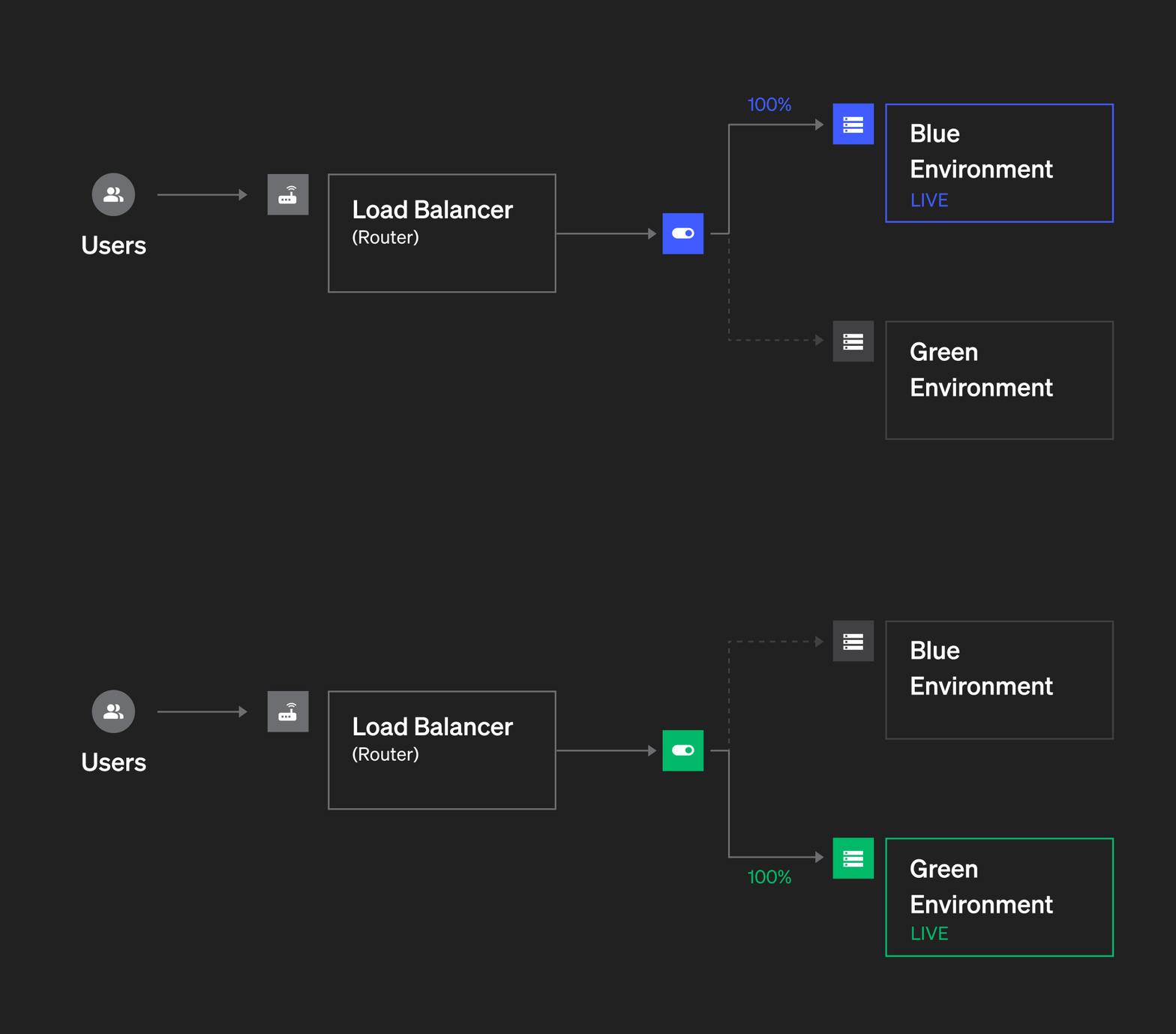
The Blue/Green deployment strategy is an approach for deploying an application in production that lets you roll out a new version without disrupting the running version. To make it easier to picture, imagine you have a website and need to deploy a new version — let's go through the steps:
- Step 1: Create the environment / prepare infrastructure on a new environment (called Green). The currently running environment is called Blue
- Step 2: Deploy the application's new version onto the Green environment created in Step 1
- Step 3: Check and confirm the application on the Green environment is running normally, with no serious errors. This check can be done by mirroring traffic over from the Blue environment.
- Step 4: Once you've confirmed the new version running on the Green environment works well, you proceed to switch environments — moving user traffic from the old Blue environment to the new Green environment. How you switch depends on your application's architecture and model — you can change routing or DNS records to move user traffic. Once the switch is complete, the Blue environment operates as a standby environment, and the Green environment becomes the main production environment serving user requests.
- Step 5: Delete the old environment (the Blue environment).
Installation
In the previous post I walked through installing Argo Rollouts on the Kubernetes cluster and the CLI to interact with Argo Rollouts — check that post again!
Previous post: Deploying a New Version With the Canary Strategy Using ArgoRollout
Trying out the Blue/Green strategy
Creating the necessary resources
To practice deploying with the Blue/Green strategy on Kubernetes, we need to create 3 resources:
- 2 Services: 1 Service for the Blue environment and 1 Service for the Green environment
- 1 Rollout: to run the application.
Note: You need to create the service before creating the Rollout, otherwise the Rollout won't be able to create pods since it's missing the service.
The manifest files will have the following content: Services:
# Service for the Blue environment
apiVersion: v1
kind: Service
metadata:
  name: rollout-bluegreen-active
spec:
  selector:
    app: rollout-bluegreen
  ports:
    - protocol: TCP
      port: 80
      targetPort: 5000
---
# Service for the Green environment
apiVersion: v1
kind: Service
metadata:
  name: rollout-bluegreen-preview
spec:
  selector:
    app: rollout-bluegreen
  ports:
    - protocol: TCP
      port: 80
      targetPort: 5000
Rollout:
apiVersion: argoproj.io/v1alpha1
kind: Rollout
metadata:
  name: rollout-bluegreen
spec:
  replicas: 2
  revisionHistoryLimit
  selector:
    matchLabels:
      app: rollout-bluegreen
  template:
    metadata:
      labels:
        app: rollout-bluegreen
    spec:
      containers:
      - name: rollouts-demo
        image: nghoangviet/python-api:staging
        imagePullPolicy: IfNotPresent
        ports:
        - containerPort: 5000
  strategy:
    blueGreen:
      activeService: rollout-bluegreen-active
      previewService: rollout-bluegreen-preview
      autoPromotionEnabled: false
A Rollout resource is basically similar to a Deployment, but supports a few extra fields under .spec.strategy to define the application's deployment strategy.
The Service config isn't anything too complex — let me explain a few fields in the Rollout resource:
- revisionHistoryLimit: 2 specifies how many versions get kept, or how many of the most recent replicaSets are retained.
- activeService: defines the service used for the Blue environment (the live environment)
- previewService: defines the service used for the Green environment (the preview environment)
- autoPromotionEnabled: specifies whether user traffic automatically switches over to the new environment (Green) once the Green environment's replicaSet runs successfully. This defaults to true
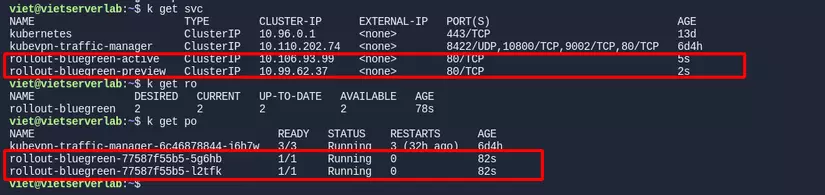
Once created, if we get the service, rollout, and pod one by one, we'll see values like in the image
Accessing the IP of the rollout-bluegreen-active and rollout-bluegreen-preview services one by one, we'll get a message like in the image

Since I currently only have 1 version, or 1 Blue environment, running, both services point to the same ReplicaSet.
If you're wondering how I can access a service through K8s's IP using a browser, I'm using a tool called KubeVPN to create a tunnel to the K8s cluster. I'll write a separate post introducing this tool sometime. Don't forget to follow to catch that post!
Deploying the new version
So now we have all the resources needed to try out the Blue/Green strategy. Next, let's bring up Argo Rollouts' UI Dashboard with the command
kubectl argo rollouts dashboardIn the interface you'll see the rollout resource we created earlier
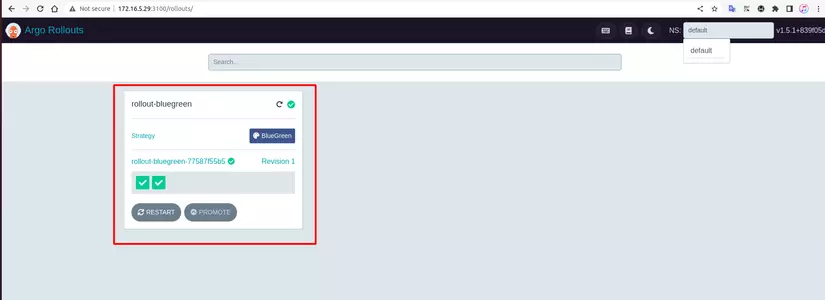
To update to the new version, select that Rollout and update the image here
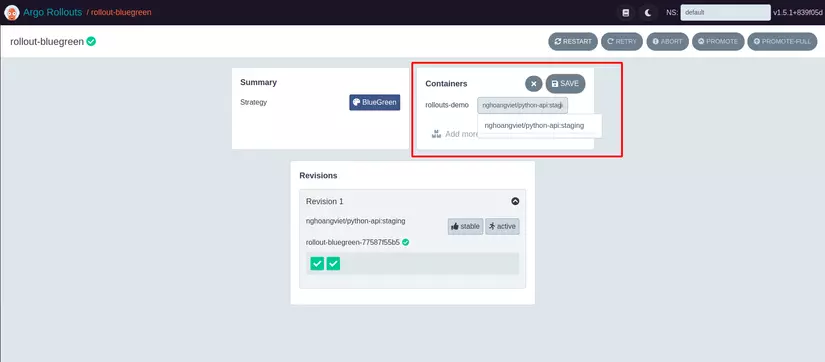
Or you can use a command to update the image to nghoangviet/python-api:production
kubectl argo rollouts set image rollout-bluegreen rollouts-demo=nghoangviet/python-api:productionAfter updating, we'll see 2 new pods get created corresponding to the Green environment

Now the deployment process gets paused since we configured autoPromotionEnabled: false. Let's try accessing the 2 services to see the change in the returned message.
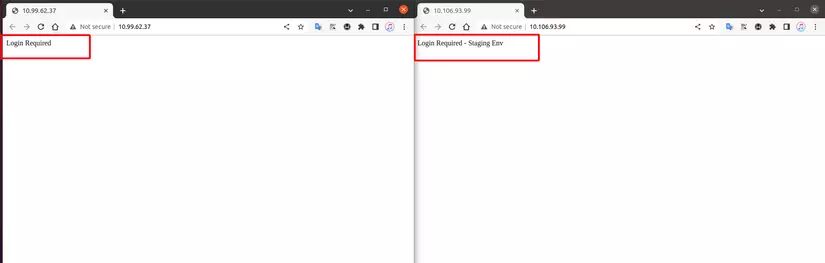
For the rollout-bluegreen-preview service, the returned content has changed, meaning the rollout-bluegreen-preview service now points to the new replicaSet with the new image.
The rollout-bluegreen-active service still points to the old replicaSet.
In practice, once you've confirmed the new environment (Green) is running stably, you continue the deployment process using the command
kubectl argo rollouts promote rollouts-bluegreenOr through the UI here
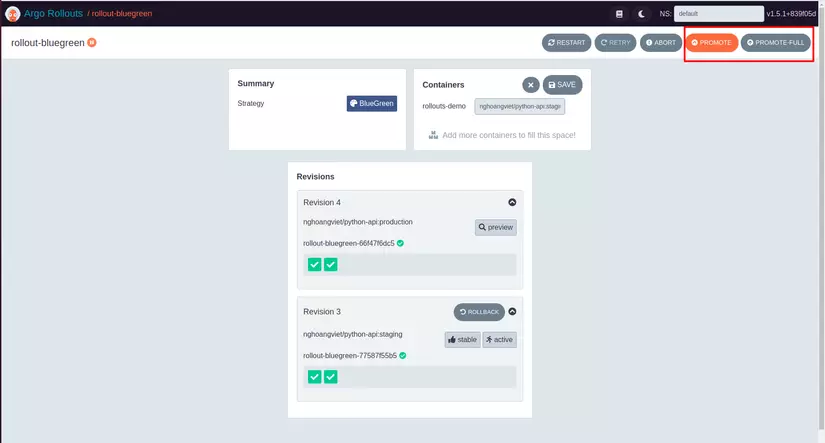
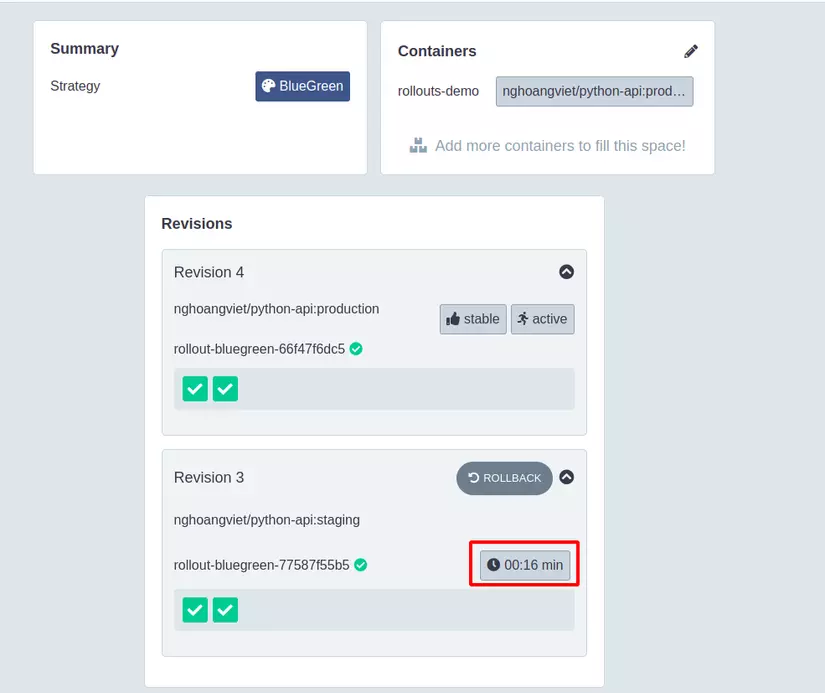
After promoting, 100% of traffic gets switched over to the Green environment, and by default, after 30s the Blue environment gets torn down, with the replica count scaled to 0.
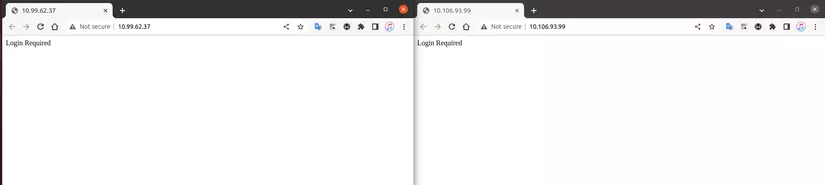
Double-checking, if we try accessing both the rollout-bluegreen-active and rollout-bluegreen-preview services, we'll see the message returned is the same for both:
Wrapping up
So I've walked you through deploying an application using the Blue/Green strategy with the Argo Rollouts tool on a Kubernetes environment. Hope this post helps you out in some way at work.
If you found this post good, don't forget to Upvote and Follow, thank you all!!!
If you're running into technical challenges or need help with systems, DevOps tools, I'm confident I can help. Get in touch at hoangviet.io.vn